project details
Kafkaesque
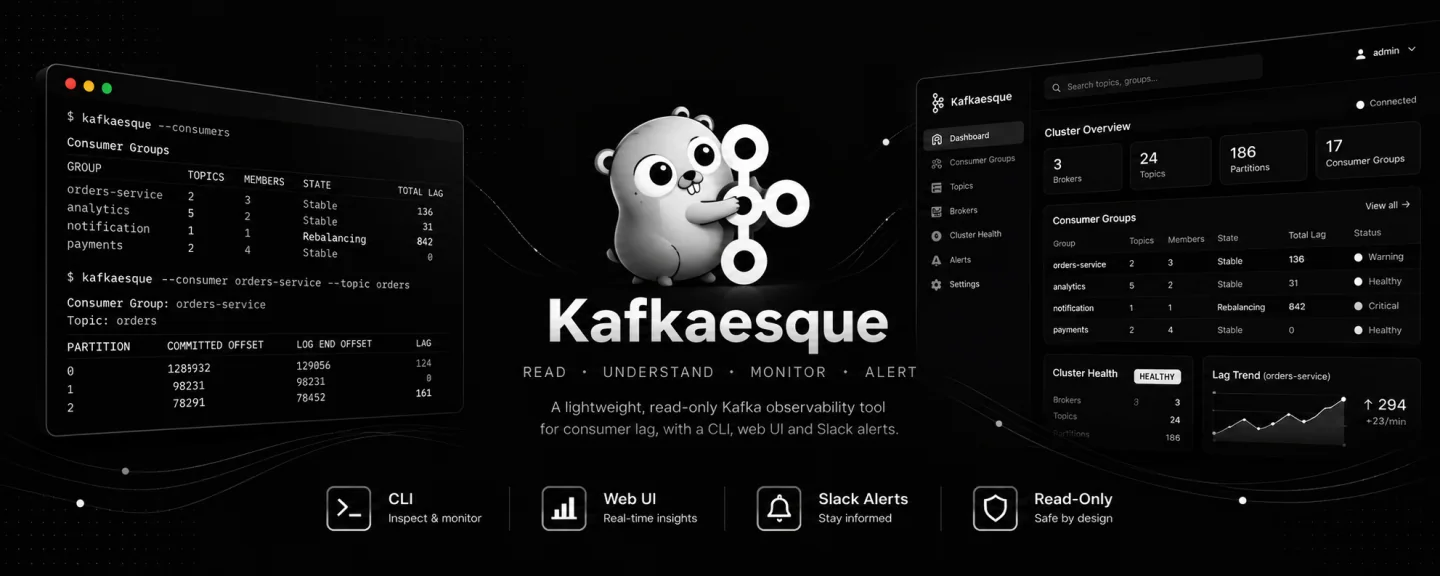
A focused Kafka monitoring dashboard, API, and CLI for understanding a cluster before it becomes a production incident.
#overview
Monitoring Kafka is essential, but the standard command-line tools are best suited to one-off checks and broad observability platforms can require more infrastructure than a team needs. Kafkaesque provides a focused, read-only interface where developers and operators can understand a cluster without producing messages or changing Kafka resources.
The responsive web UI brings connection status, cluster health, brokers, topics, hourly message rates, consumer groups, and partition lag into one place. Teams can create Slack alerts with configurable average or maximum lag thresholds, receive one notification when a threshold is breached, and optionally receive a follow-up when the lag resolves.
The same Go application also exposes an authenticated JSON API and a standalone CLI. Kafka connections support plaintext, TLS, mutual TLS, SASL PLAIN, and SASL SCRAM. PostgreSQL is reserved for application accounts, sessions, roles, permissions, migrations, and alert subscriptions. It never stores Kafka messages or historical cluster metrics.
#how it works
Browser and API requests enter the same Kafkaesque server process. The UI uses secure session cookies, API clients use opaque access and refresh tokens, and both pass through PostgreSQL-backed authentication and role-based access control before reaching shared live Kafka collectors. The UI is server-rendered with HTMX and still supports filtering and pagination as ordinary links and forms when JavaScript is unavailable.
The collectors read metadata, consumer groups, offsets, and assignments directly from Kafka. Separate monitors reuse those collectors to calculate hourly topic activity and evaluate lag-alert subscriptions, then deliver firing and resolved notifications to Slack. The standalone CLI bypasses PostgreSQL and connects directly to Kafka for text, JSON, and watch-mode inspection.
Kafkaesque remains deliberately read-only: it does not create topics, alter cluster resources, produce or browse messages, or store Kafka payloads. The server ships as one Go binary with embedded UI assets, runs as a non-root container, and applies versioned PostgreSQL migrations during startup.
#features
| Concern | Details |
|---|---|
| Web monitoring |
|
| Kafka connectivity |
|
| Authentication and access |
|
| Slack lag alerts |
|
| API and CLI |
|
| Deployment |
|
#run the web UI with Docker
Kafkaesque publishes a multi-platform container containing the API and embedded web UI. The container runs kafkaesque serve as a non-root user and listens on port 8085 by default.
Before you start
- Kafka bootstrap addresses that the container can reach, including the broker, coordinator, and partition-leader addresses returned by Kafka.
- A dedicated PostgreSQL 18 or newer database and a role allowed to create and modify objects in its public schema.
- A Super Admin username, email address, and policy-compliant password.
- A stable encryption key used to protect Slack webhook URLs.
01Generate the alert encryption key and pull the image
Generate this key once and keep it in a secret manager. Pull latest for a local trial. Production deployments should pin an exact release tag or image digest.
Generate a 32-byte key
openssl rand -base64 32Pull Kafkaesque
docker pull ghcr.io/nikhil25803/kafkaesque:latest02Option A: mount a YAML configuration
Create config.yaml, replace every CHANGE_ME value, and mount the file read-only. Use a Docker network hostname, host.docker.internal where supported, or another address reachable from inside the container. Localhost points back to the container itself.
config.yaml
kafka:
  bootstrap_server: kafka.example.com:9092

authentication:
  super_admin_username: super_admin
  super_admin_email: super-admin@example.com
  super_admin_password: CHANGE_ME_A1_
  super_admin_recovery: verify
  cookie_secure: false

database:
  url: postgres://kafkaesque:CHANGE_ME@postgres.example.com:5432/kafkaesque?sslmode=require

alerts:
  encryption_key: CHANGE_ME_WITH_OPENSSL_OUTPUT

api:
  host: 0.0.0.0
  port: 8085
Start with the mounted file
docker run --rm --name kafkaesque \
  --publish 8085:8085 \
  --volume "$PWD/config.yaml:/config.yaml:ro" \
  ghcr.io/nikhil25803/kafkaesque:latest \
serve --config /config.yaml03Option B: configure with environment variables
Every server setting also has an environment-variable form. This is convenient when a deployment platform injects secrets without a mounted configuration file.
Start with environment variables
docker run --rm --name kafkaesque \
  --publish 8085:8085 \
  --env KAFKAESQUE_KAFKA_BOOTSTRAP_SERVER=kafka.example.com:9092 \
  --env KAFKAESQUE_AUTHENTICATION_SUPER_ADMIN_USERNAME=super_admin \
  --env KAFKAESQUE_AUTHENTICATION_SUPER_ADMIN_EMAIL=super-admin@example.com \
  --env KAFKAESQUE_AUTHENTICATION_SUPER_ADMIN_PASSWORD=CHANGE_ME_A1_ \
  --env KAFKAESQUE_AUTHENTICATION_SUPER_ADMIN_RECOVERY=verify \
  --env KAFKAESQUE_AUTHENTICATION_COOKIE_SECURE=false \
  --env 'KAFKAESQUE_DATABASE_URL=postgres://kafkaesque:CHANGE_ME@postgres.example.com:5432/kafkaesque?sslmode=require' \
  --env KAFKAESQUE_ALERTS_ENCRYPTION_KEY=CHANGE_ME_WITH_OPENSSL_OUTPUT \
  --env KAFKAESQUE_API_HOST=0.0.0.0 \
  --env KAFKAESQUE_API_PORT=8085 \
ghcr.io/nikhil25803/kafkaesque:latest serve04Verify the process and sign in
The health endpoint verifies that the server process is responding. Then open the UI and sign in with the configured Super Admin account.
Health check
curl --fail http://127.0.0.1:8085/api/v1/healthWeb UI
http://127.0.0.1:8085/ui#UI walkthrough
Dashboard and cluster monitoring
Operational pages read Kafka at request time, providing a current view without maintaining a stale cluster cache.
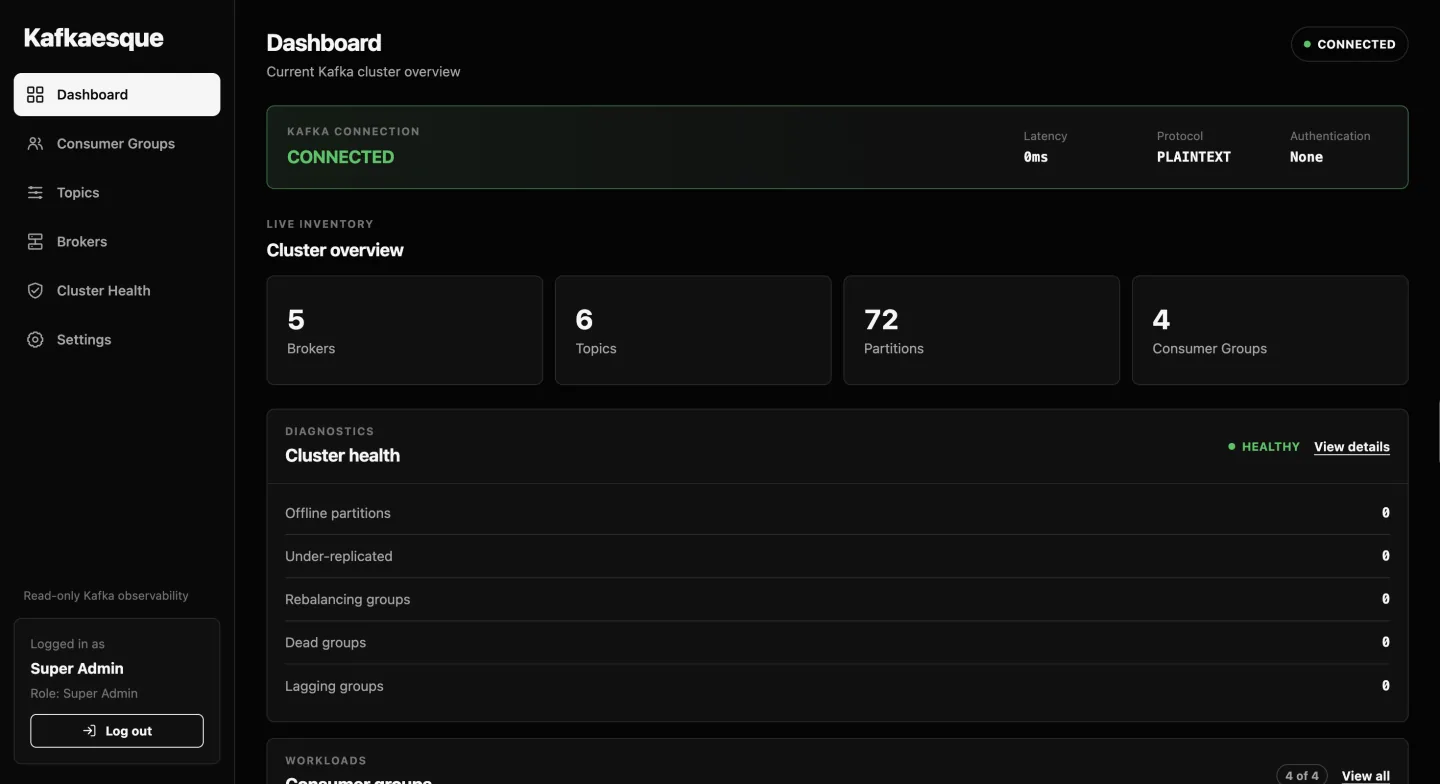
Dashboard
The landing page confirms the active Kafka connection and summarizes brokers, topics, partitions, and consumer groups. Health cards surface unhealthy partitions and lagging consumers immediately, giving operators a fast starting point before opening a detailed view.
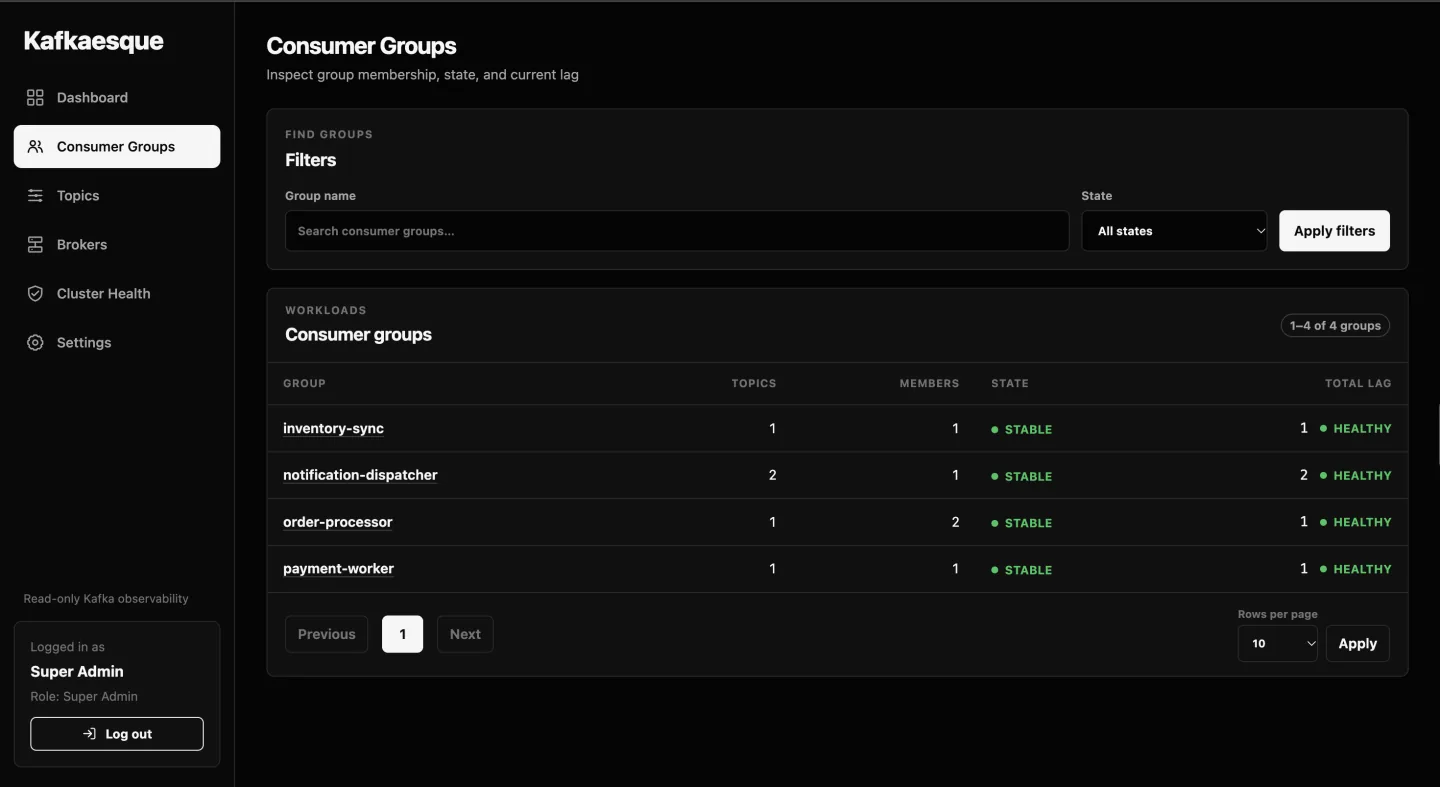
Consumer Groups
Consumer groups can be searched and filtered by coordinator state or lag health. Each row combines group state, active membership, topic coverage, and aggregate lag so an idle, rebalancing, or falling-behind workload stands out before drilling into partition assignments.
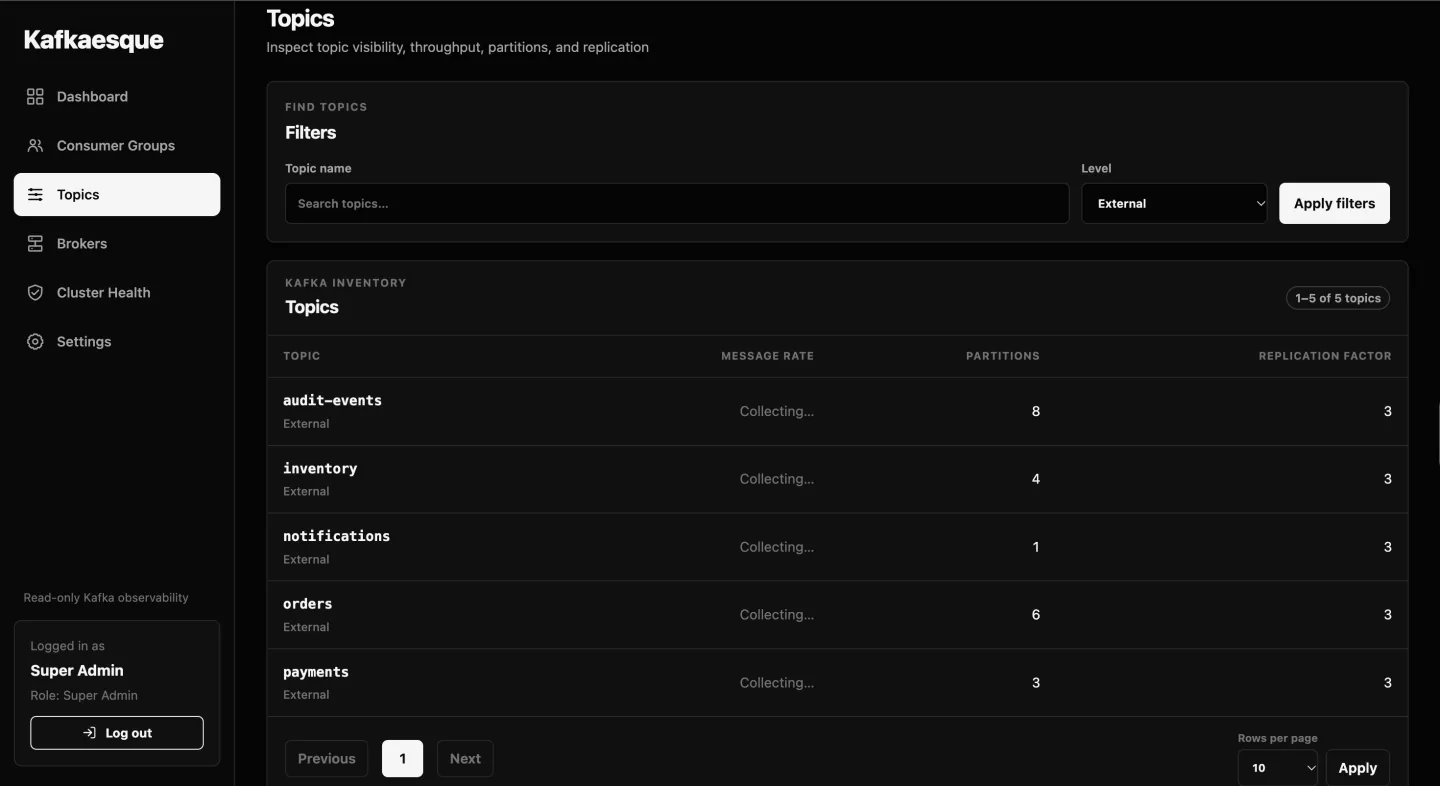
Topics
The topics view separates internal and application topics and reports partition count, replication, and hourly activity. Search and pagination keep large clusters manageable, while message-rate changes help distinguish quiet topics from active data paths.
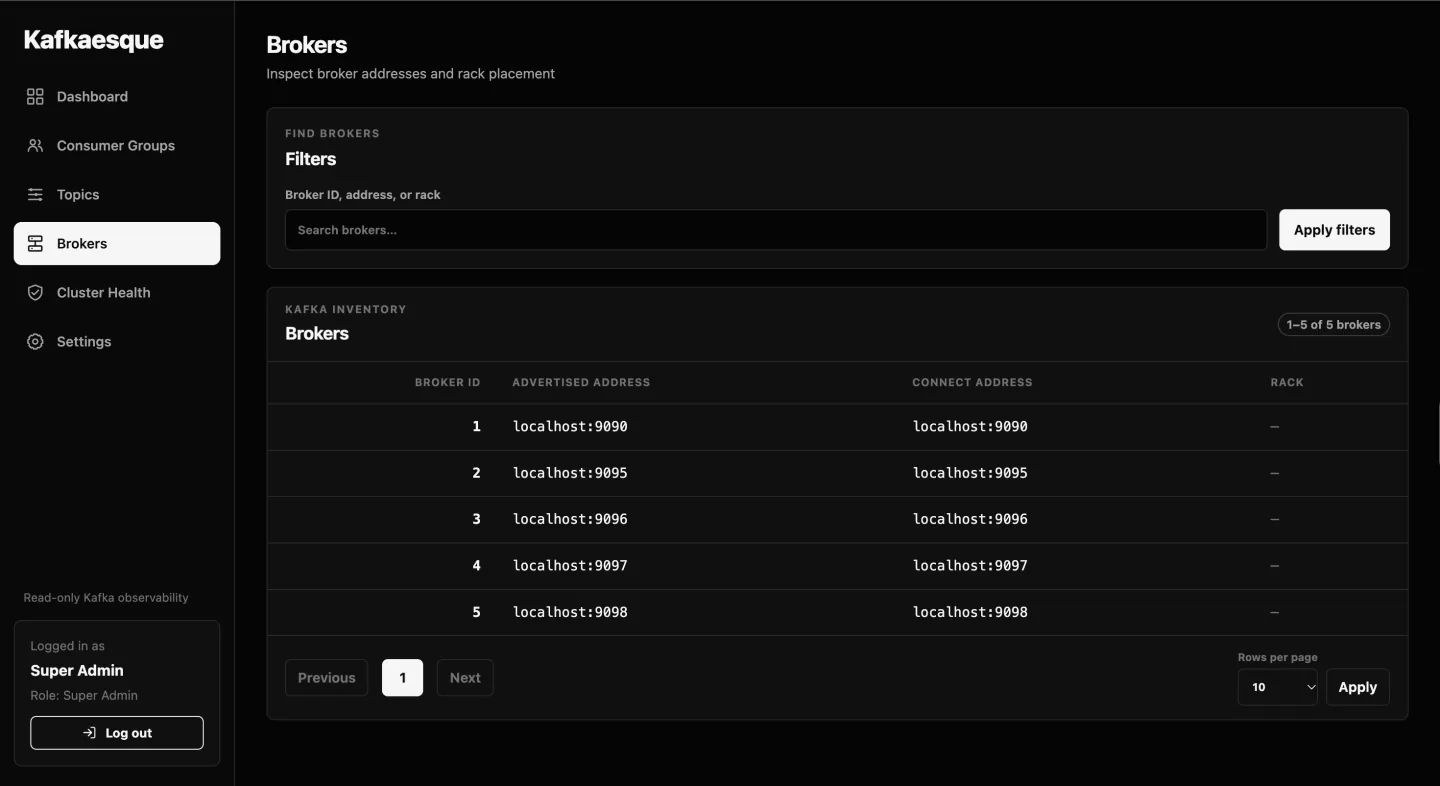
Brokers
Broker inspection shows IDs, rack placement, advertised listeners, and the effective addresses Kafkaesque uses. Displaying both advertised and overridden addresses makes container, Kubernetes, and split-network connection problems easier to diagnose.
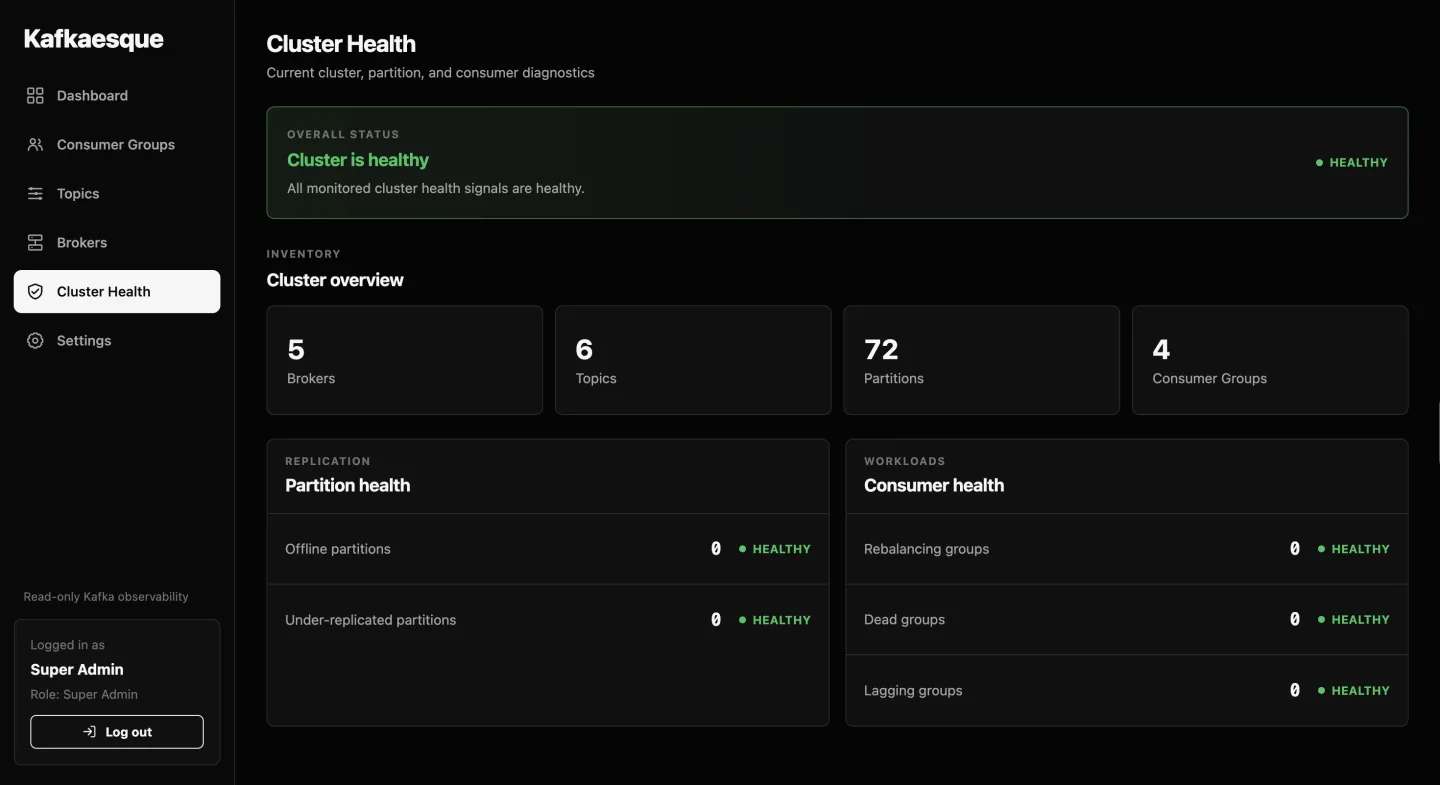
Cluster Health
Cluster Health brings broker availability, leaderless or under-replicated partitions, offline replicas, and consumer lag thresholds together. Healthy, warning, and unhealthy states use the configured lag thresholds so the same policy is reflected across the UI, API, and alerts.
Access and settings
PostgreSQL-backed accounts and roles protect the browser and API while every authenticated role retains read-only Kafka inspection access.

Sign in
Browser users authenticate through a focused sign-in screen and receive secure session cookies protected against cross-site request forgery. The initial Super Admin comes from server configuration. Additional accounts can sign in immediately after creation.
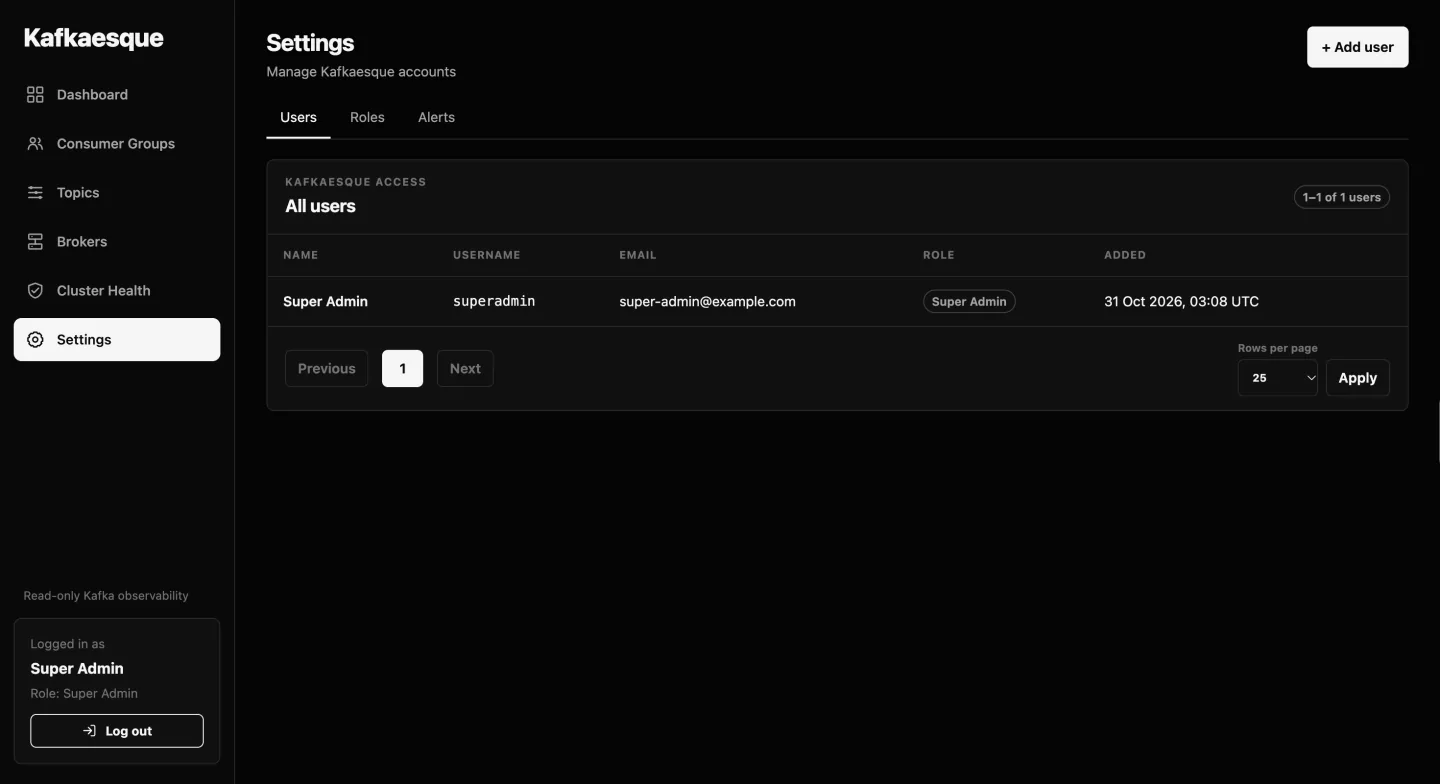
Settings · Users
Authorized administrators can search and page through accounts, review assigned roles, and manage access without touching Kafka. User records, password hashes, sessions, and role assignments remain isolated in the dedicated PostgreSQL database.
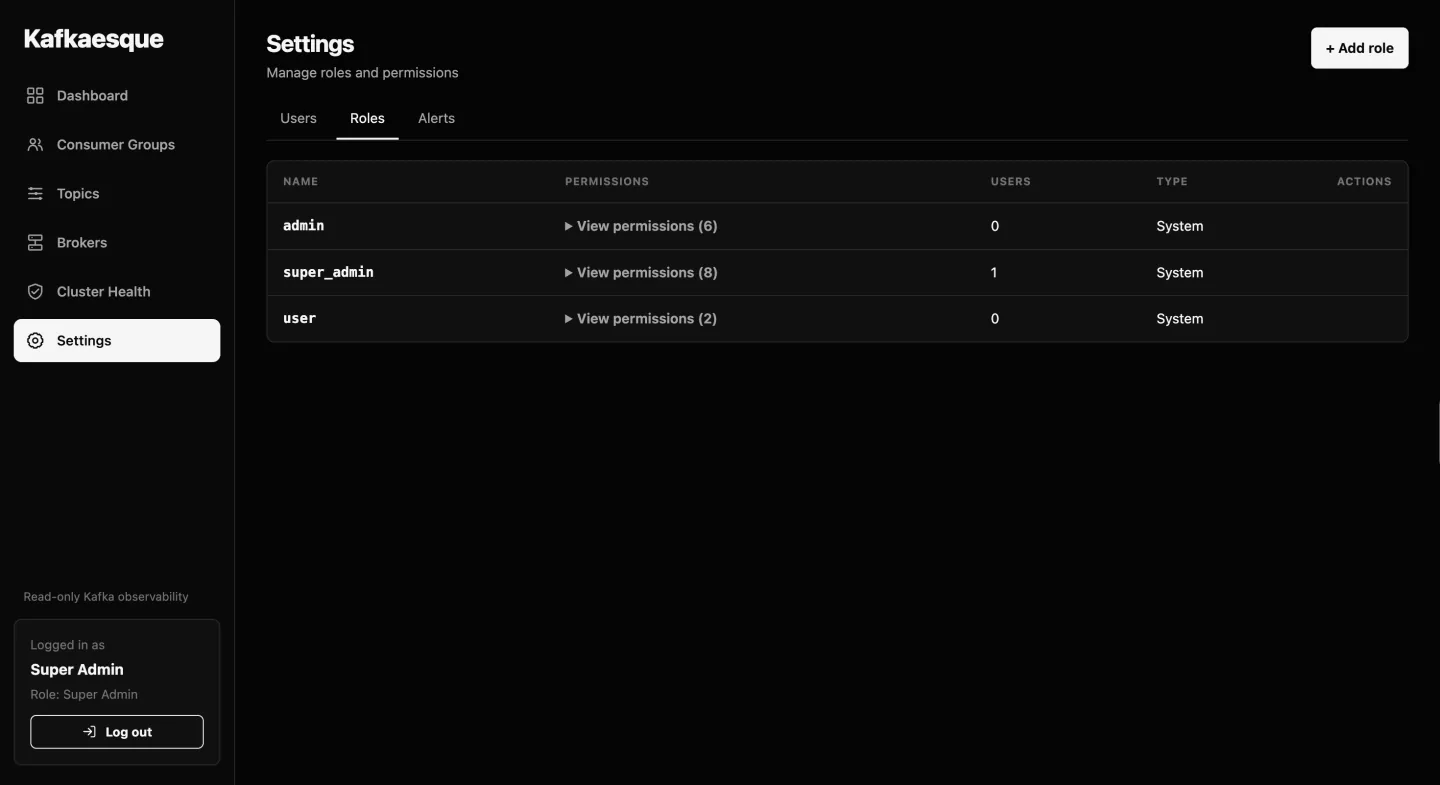
Settings · Roles
The role list exposes built-in Super Admin, Admin, and User roles alongside custom roles. Permission summaries and assigned-user counts make it clear who can manage accounts, roles, and alert subscriptions while Kafka access stays read-only.
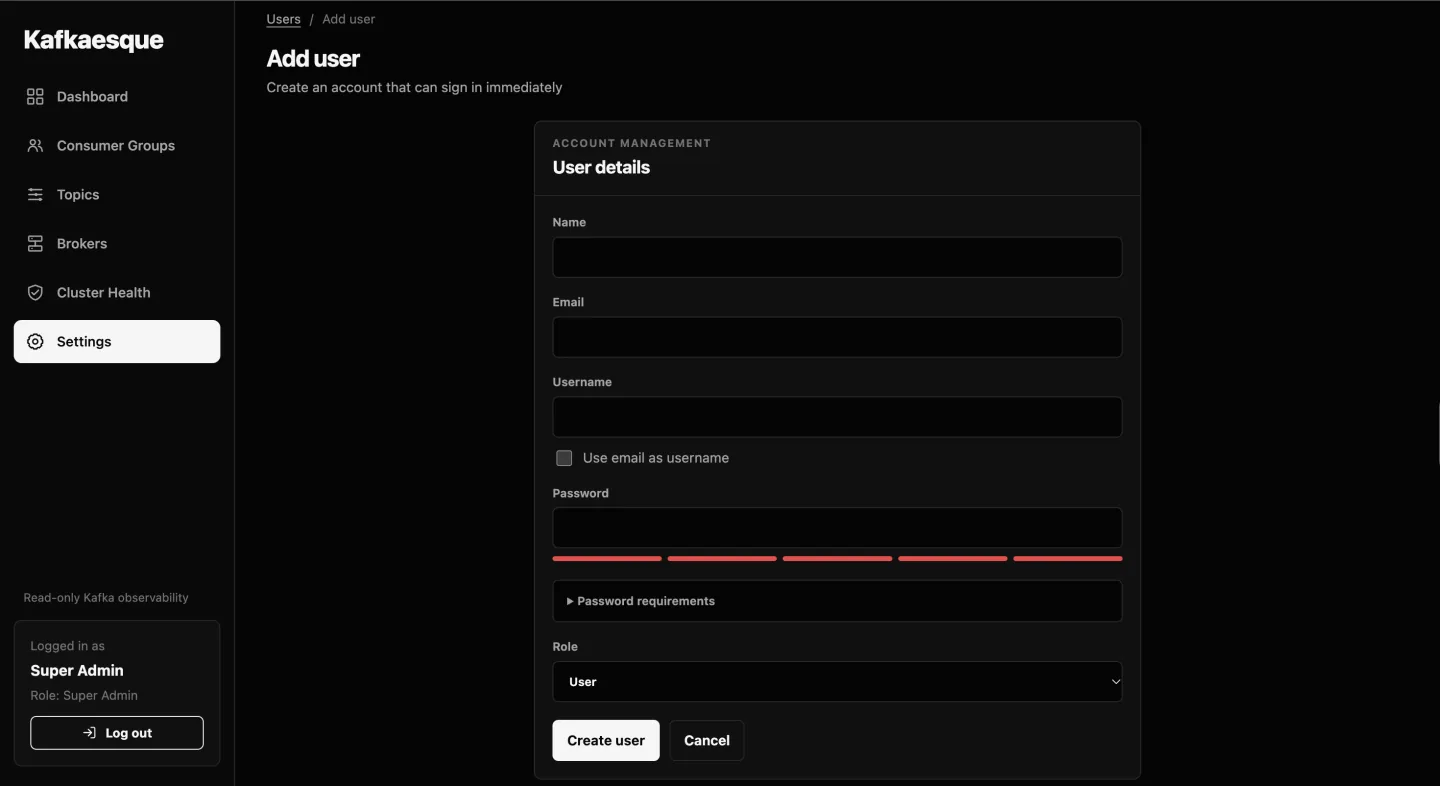
Add User
The account form captures identity, a policy-compliant initial password, and one or more roles in a single workflow. Validation is shared with authentication so newly created users can sign in without a separate activation step.
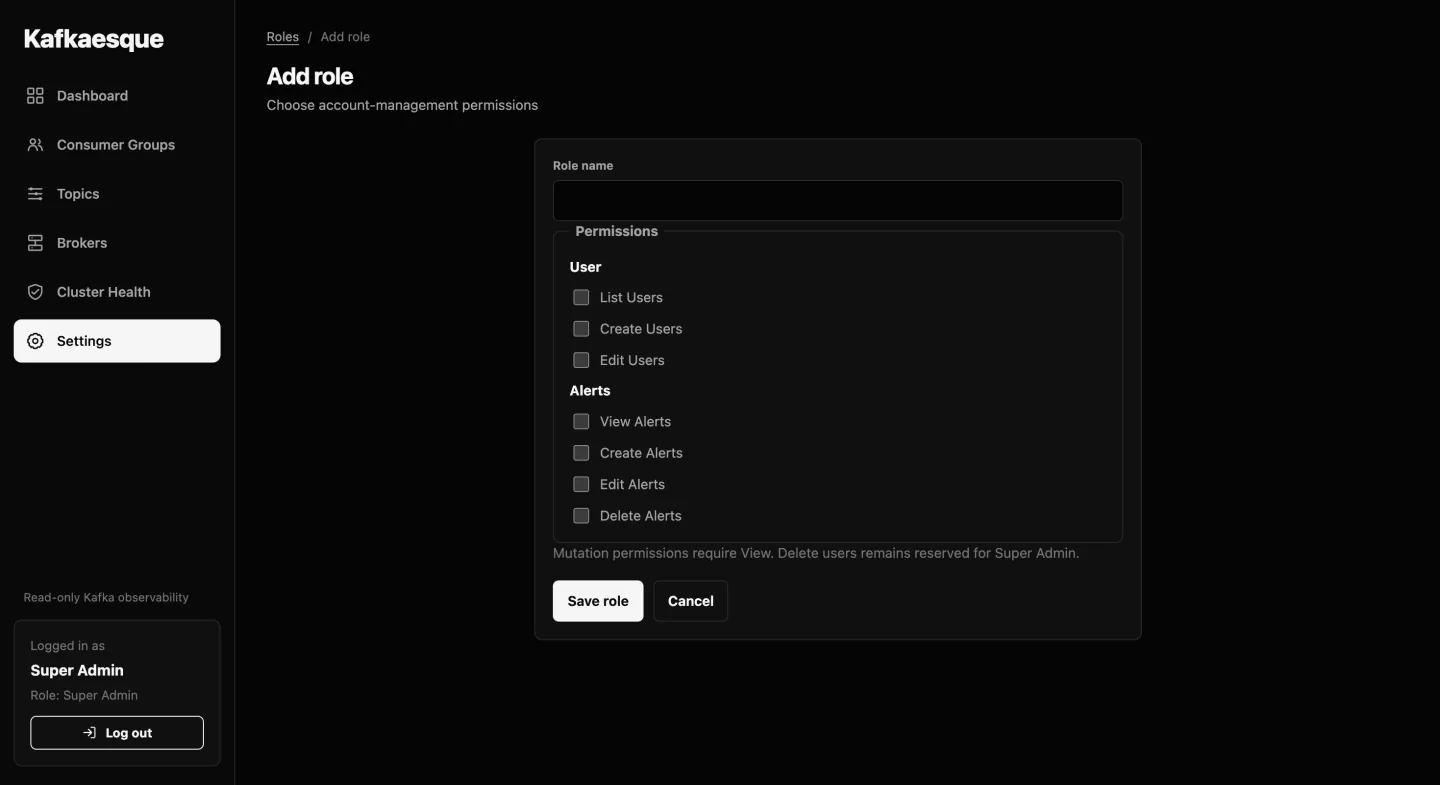
Create Role
Custom roles group only the administrative capabilities a team needs. Account, role, and alert-management permissions can be selected independently, supporting least-privilege operational access without introducing Kafka write permissions.
Slack alert lifecycle
Lag subscriptions turn consumer health thresholds into actionable Slack notifications without repeatedly notifying for the same incident.
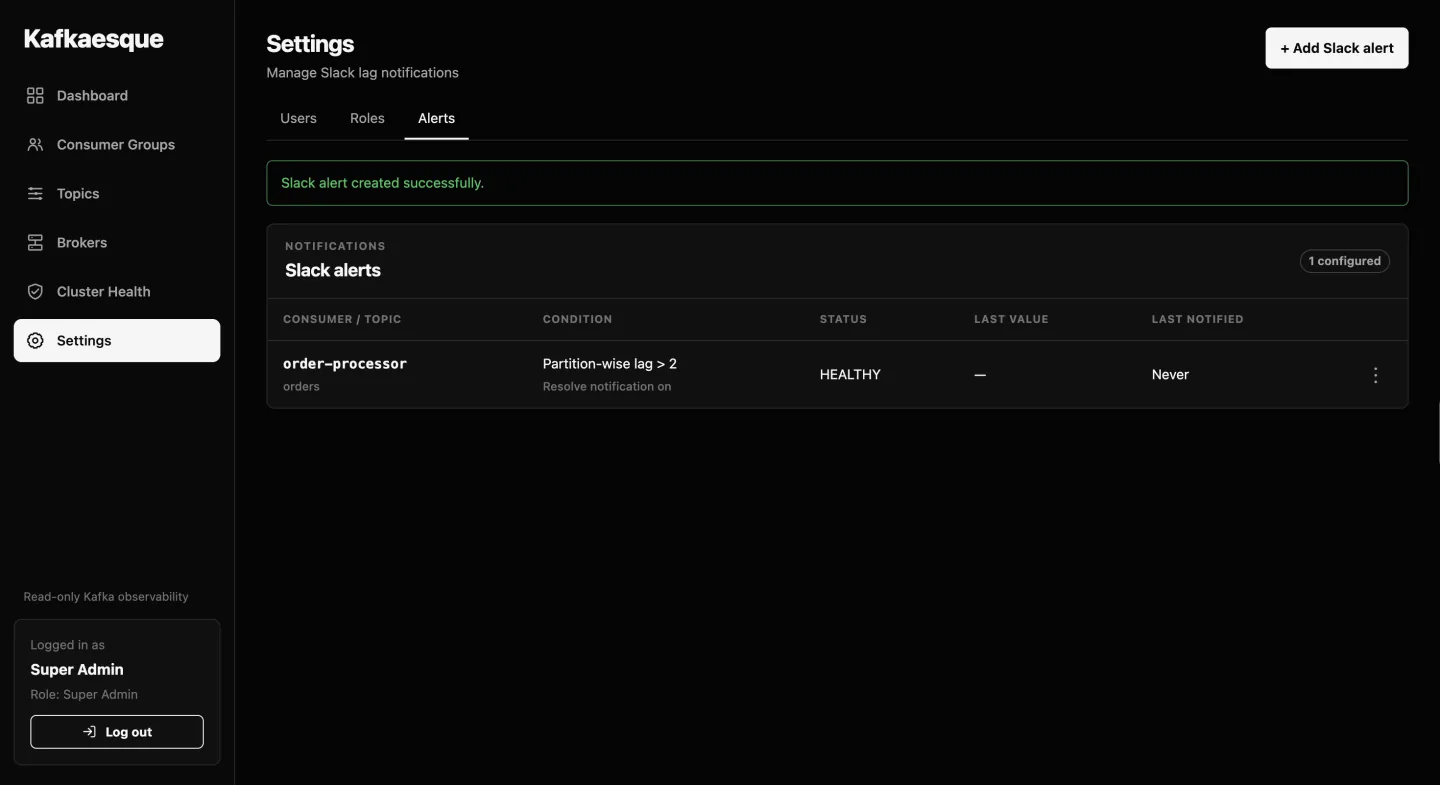
Slack Alerts
The subscriptions page lists each monitored consumer group, optional topic filter, lag calculation, threshold, delivery method, and current state. Operators can quickly distinguish enabled monitors from paused or currently firing subscriptions.
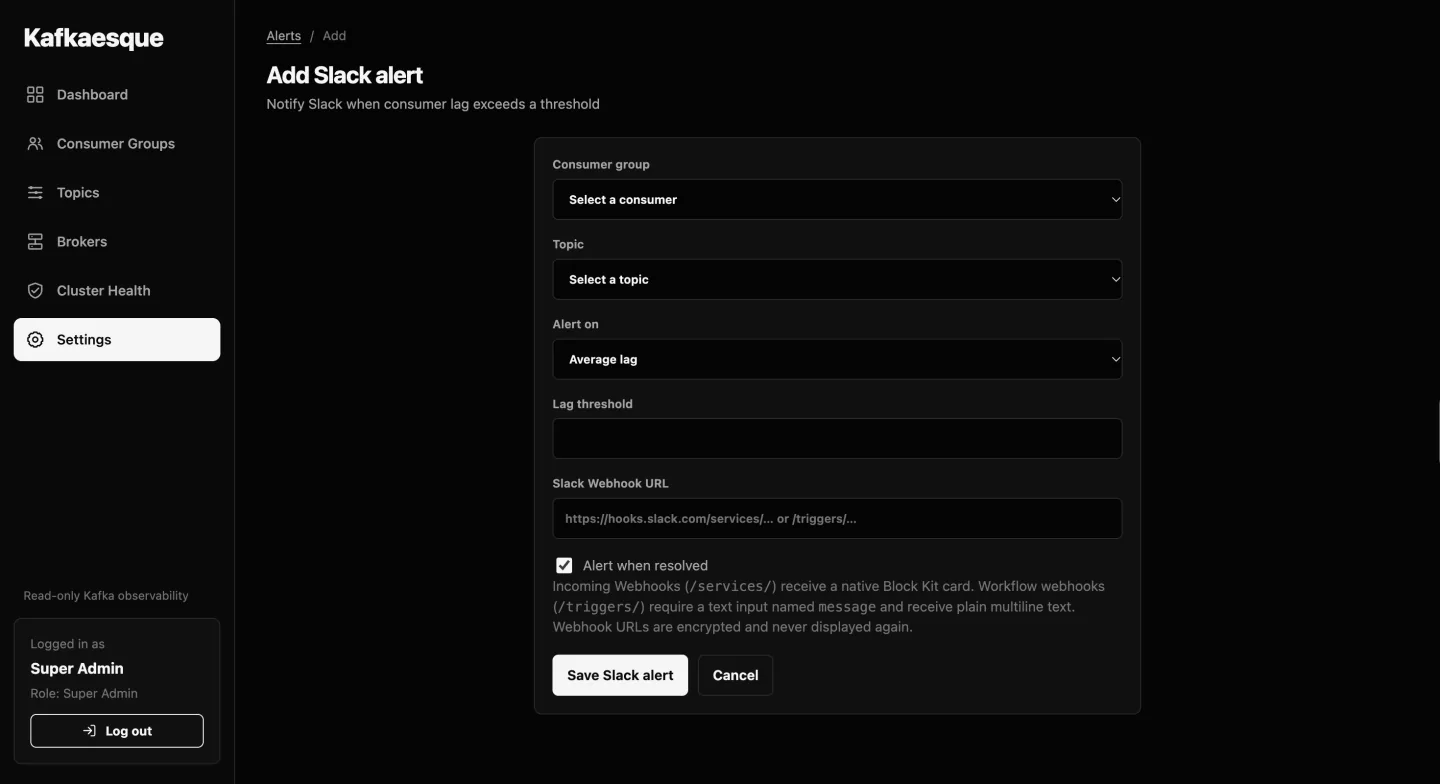
Create Slack Alert
A subscription can monitor average or maximum partition lag for an entire consumer group or a selected topic. It supports Slack Incoming Webhooks and Workflow Builder triggers, configurable polling, and an optional resolution message when lag returns below the threshold.
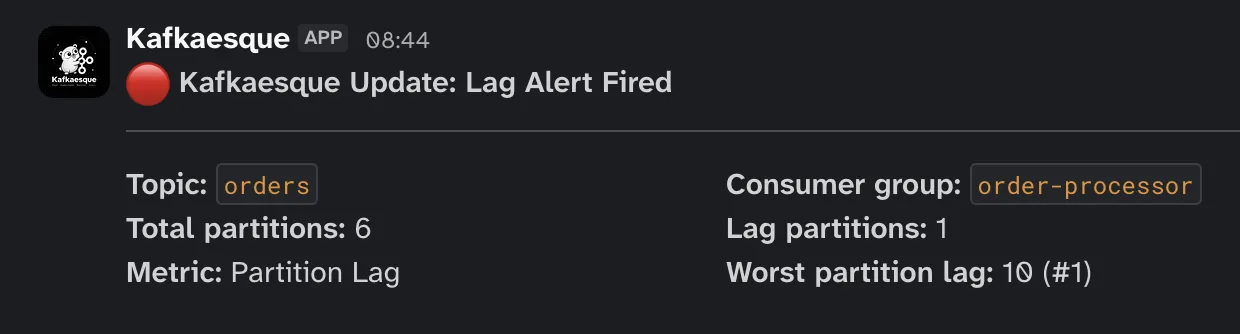
Lag Alert Fired
When lag crosses the configured threshold, Kafkaesque sends one firing notification with the consumer group, topic scope, observed lag, threshold, and timestamp. It records the firing state so repeated monitor cycles do not flood the channel.
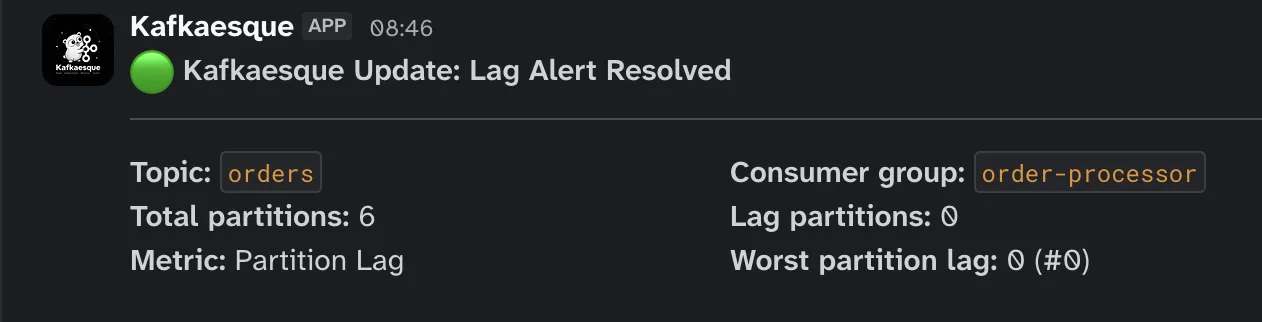
Lag Alert Resolved
After the measured lag recovers, an optional resolution notification closes the loop with the current lag and incident duration. The subscription then returns to its ready state and can report a future breach as a new incident.